BINANCE · KYC
Binance KYC Verification Guide
Complete identity verification with clear documents and the correct live-account options.
Referral code MTOWN20% trading fee discountOfficial-source workflow
STEP BY STEP
What to do in order
Button names and layout can change as the exchange updates its app and website. The live account screen is the final reference.
Reviewed Aug 31, 2026Official-source links checkedLive account screen is final
STEP 01
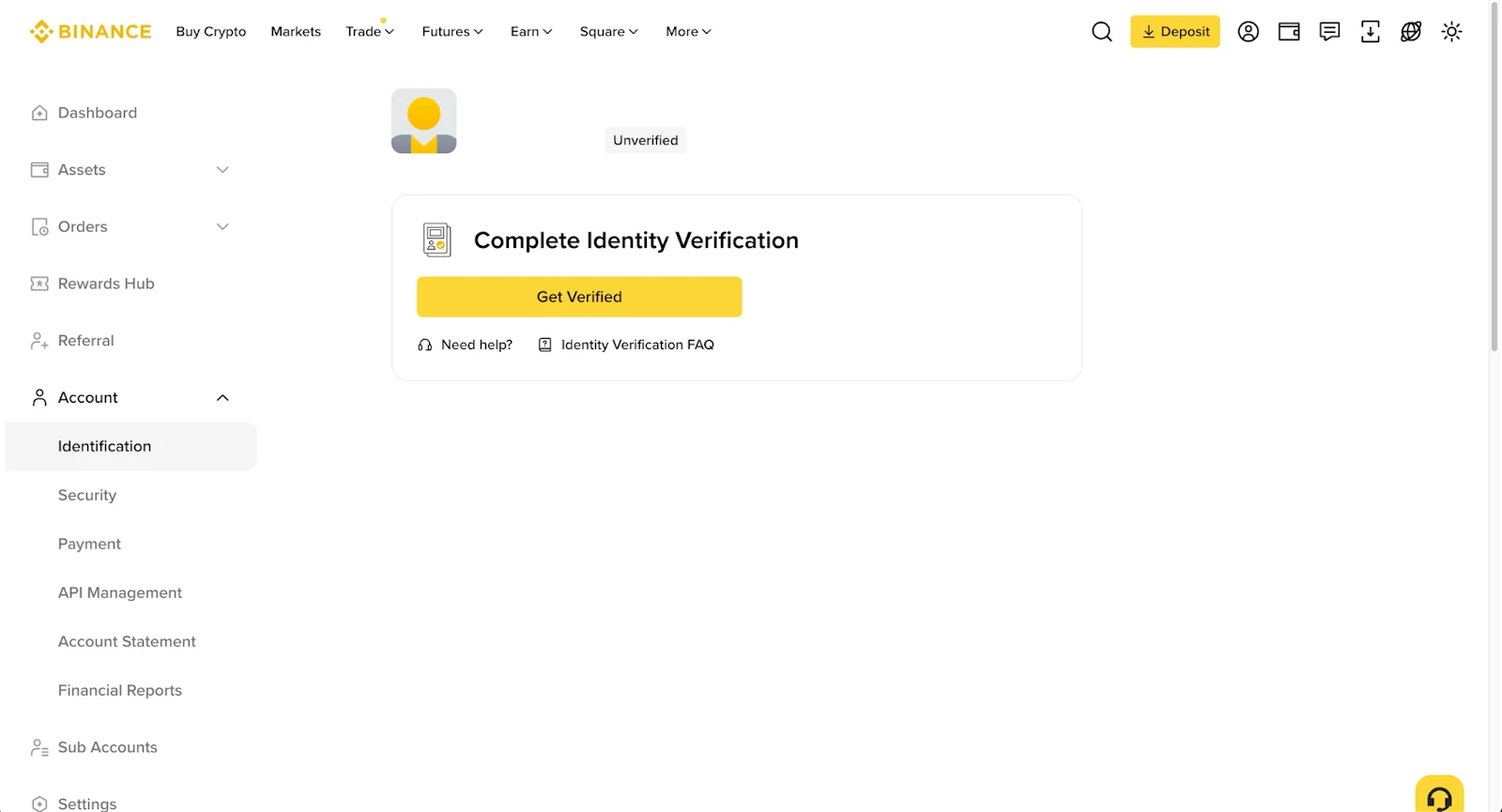
Open Identification
Go to the account Identification area and start verification.
STEP 02
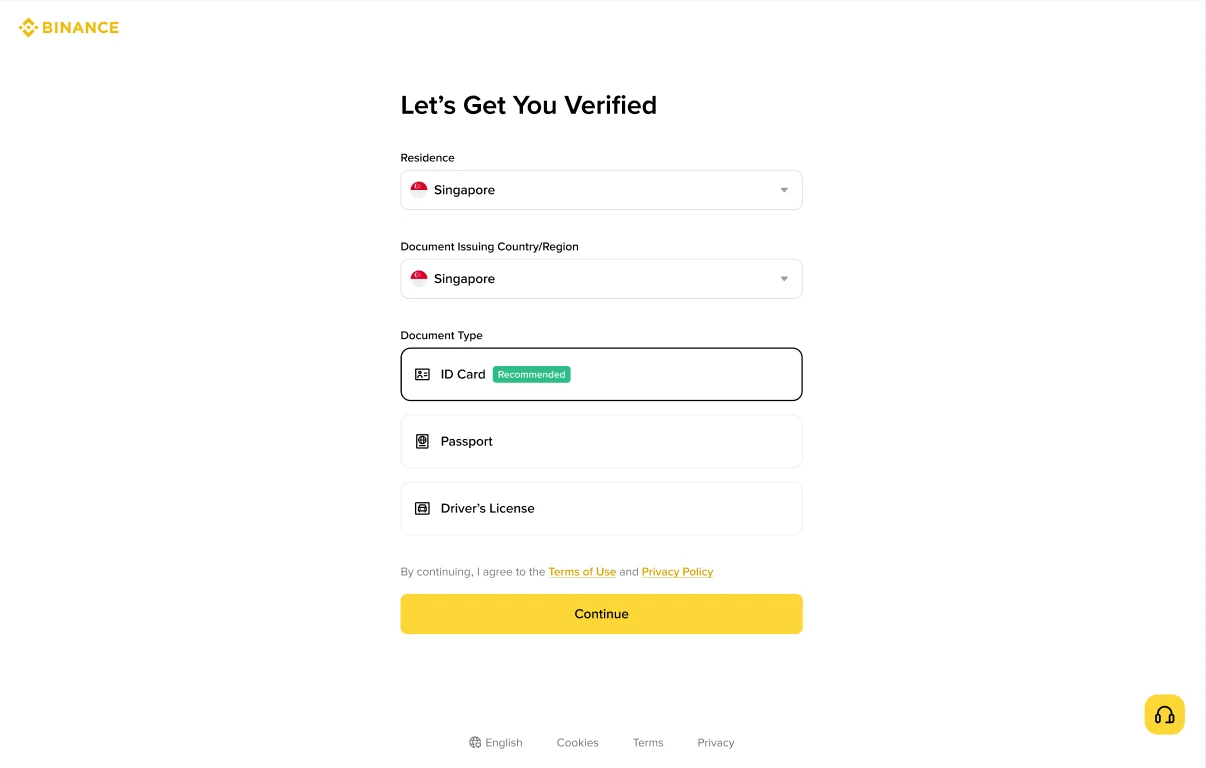
Select residence and document type
Choose the options displayed for your account.
STEP 03
Upload or capture the ID
Use a clear, valid government-issued document.
STEP 04
Complete front/back capture when required
ID cards may require both sides.
STEP 05
Finish the liveness check
Allow camera access and follow the on-screen movement prompts.
STEP 06
Review the submitted information
Confirm the extracted identity data before final submission.
Why no fake screenshots?Binance changes signup and verification UI frequently. Margin Town does not present generated UI as if it were a live Binance screen.
What we verifyWe cross-check the live signup/verification route and Binance-owned documentation, then describe the stable workflow in plain English.
Final referenceIf a button name or document option differs, follow the options shown inside your current Binance account.
Official reference
We use the exchange's own help content as the baseline and rewrite the workflow for faster scanning.
Open Binance official documentation →Binance screen walkthrough