
BYBIT · SIGNUP
Bybit Signup Guide
Create the account, check MTOWN and continue to identity verification.
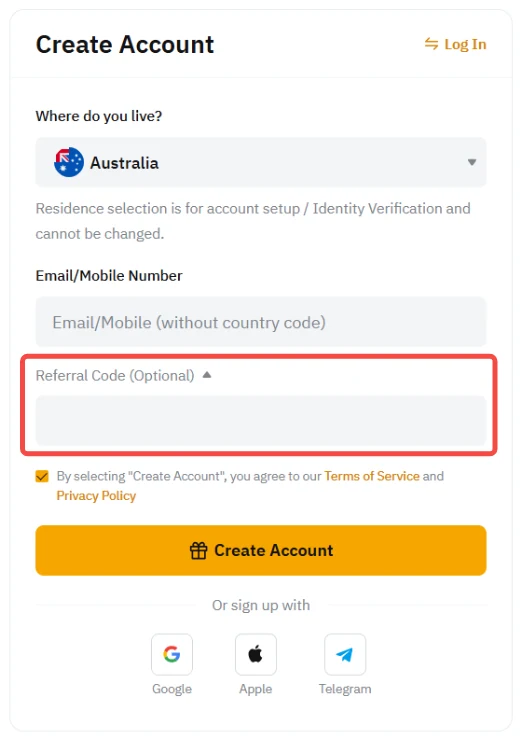
Referral code MTOWN20% trading fee discountOfficial-source workflow
STEP BY STEP
What to do in order
Button names and layout can change as the exchange updates its app and website. The live account screen is the final reference.
Reviewed Aug 31, 2026Official-source links checkedLive account screen is final
STEP 01
Open the MTOWN link
Use the official Bybit referral URL and check the domain before entering personal information.
STEP 02
Choose email or mobile
Use a contact method you expect to keep long term.
STEP 03
Confirm the referral relationship
Check the referral or affiliate field if it is displayed during signup.
STEP 04
Set a unique password
Do not reuse a password from another exchange or email account.
STEP 05
Enter the verification code
Use the email or SMS code within its validity window.
STEP 06
Continue to KYC
After the account is created, open Identity Verification and complete Standard verification.
Official reference
We use the exchange's own help content as the baseline and rewrite the workflow for faster scanning.
Open Bybit official documentation →