OKX · SIGNUP

OKX Signup Guide

Create the account, check MTOWN and continue to identity verification.

Referral code MTOWNUp to 20% fee benefitOfficial-source workflow
OKX Signup Guide
STEP BY STEP

What to do in order

Button names and layout can change as the exchange updates its app and website. The live account screen is the final reference.

Reviewed Aug 31, 2026Official-source links checkedLive account screen is final
STEP 01

Open the MTOWN link

Use the official OKX join URL and confirm the okx.com domain.

Start from the official OKX registration page — official OKX reference
Official screenStart from the official OKX registration page. Source: the exchange's official help material; the live account screen remains the final reference.
STEP 02

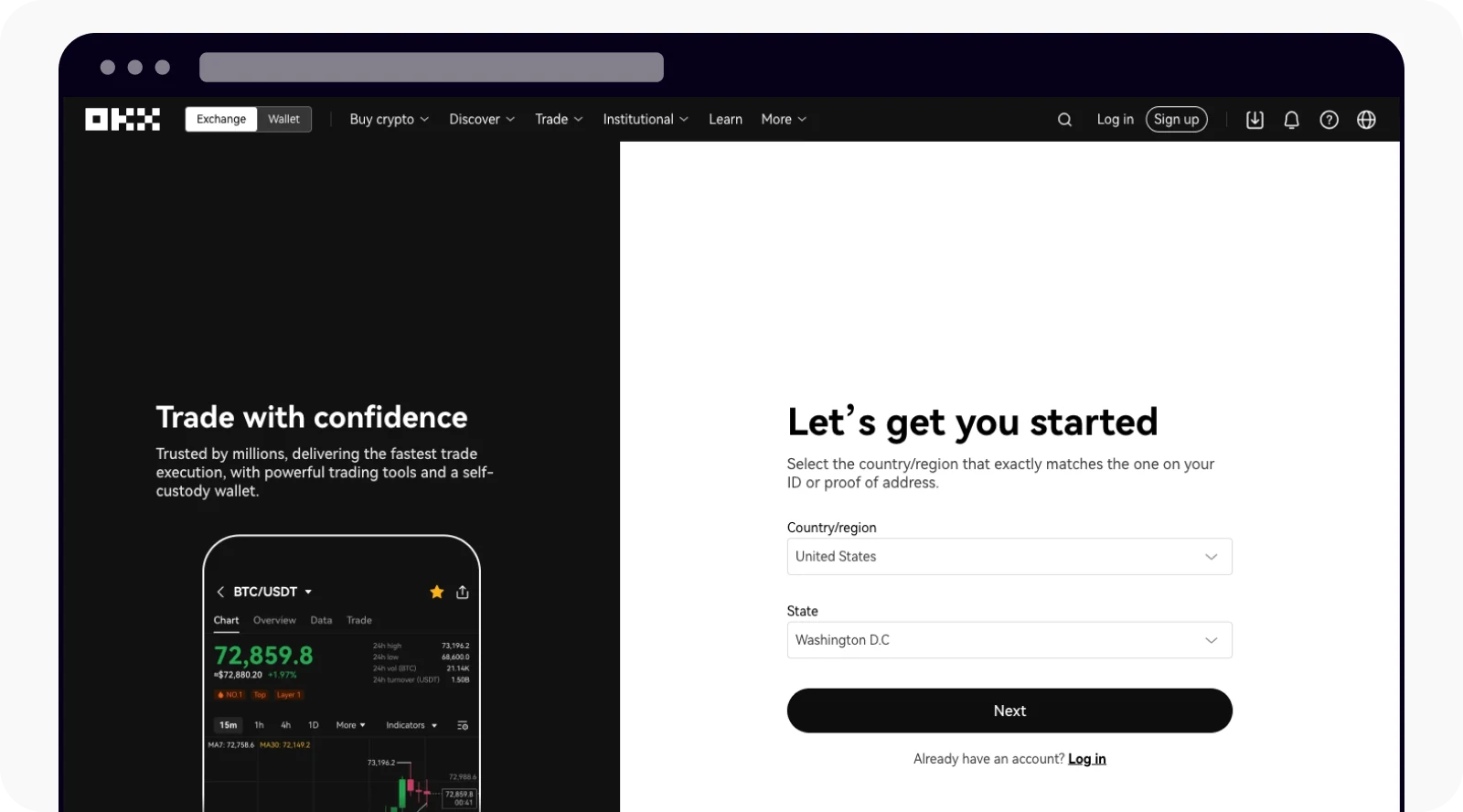
Select the requested country or region

Choose the real country or region requested by the live signup flow.

Select the correct country or region — official OKX reference
Official screenSelect the correct country or region. Source: the exchange's official help material; the live account screen remains the final reference.
STEP 03

Enter email and review the referral field

Enter your email and confirm the referral field if it is displayed.

Enter email and check the referral field if shown — official OKX reference
Official screenEnter email and check the referral field if shown. Source: the exchange's official help material; the live account screen remains the final reference.
STEP 04

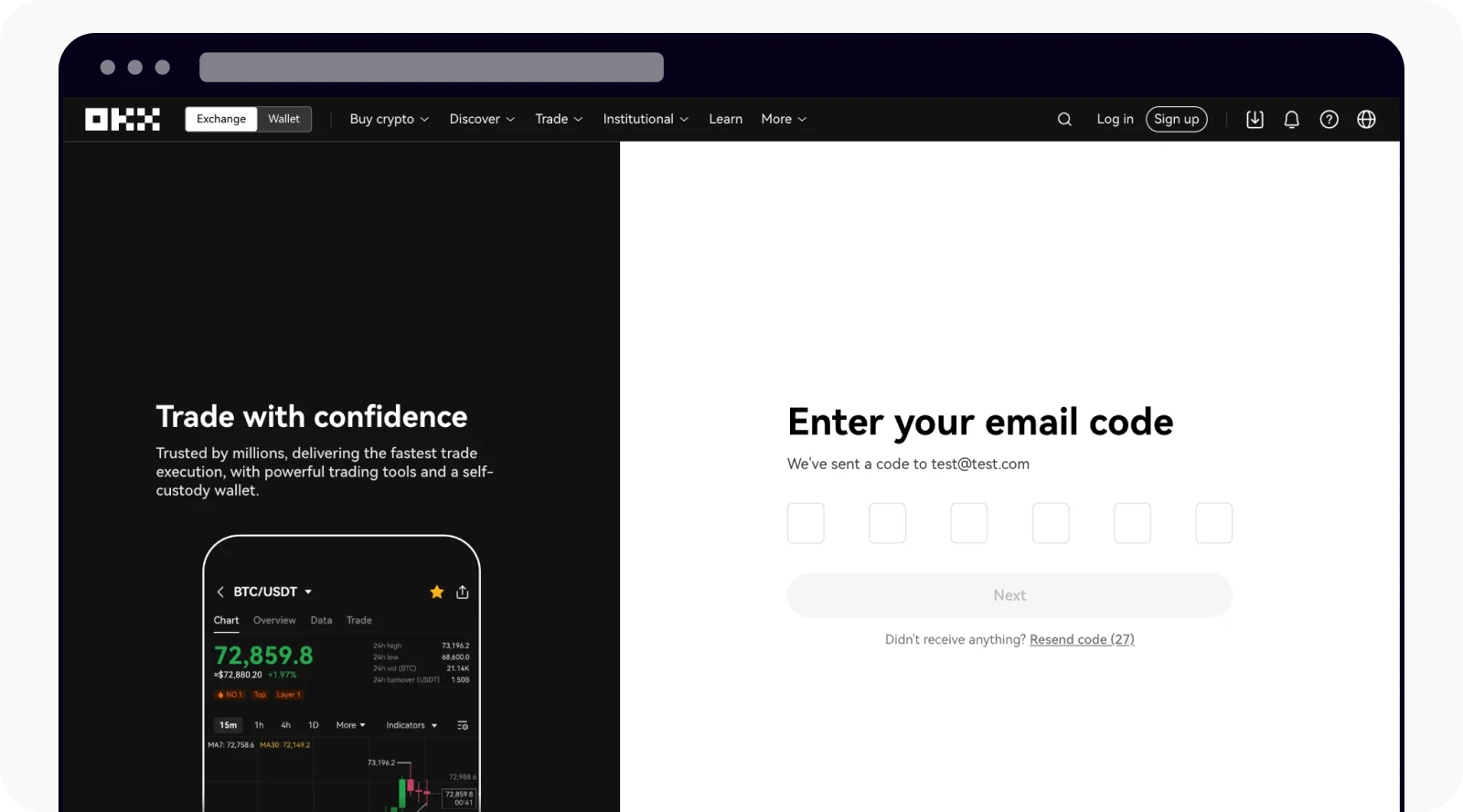
Enter the email verification code

Use the security code sent to your email within the allowed time.

Enter the email verification code — official OKX reference
Official screenEnter the email verification code. Source: the exchange's official help material; the live account screen remains the final reference.
STEP 05

Bind and verify your phone if required

Complete phone verification when the current OKX signup flow asks for it.

Bind and verify the phone number when required — official OKX reference
Official screenBind and verify the phone number when required. Source: the exchange's official help material; the live account screen remains the final reference.
STEP 06

Continue to Verification

Open the profile Verification area and proceed to identity verification.

Continue to the Verification area after signup — official OKX reference
Official screenContinue to the Verification area after signup. Source: the exchange's official help material; the live account screen remains the final reference.

Official reference

We use the exchange's own help content as the baseline and rewrite the workflow for faster scanning.

Open OKX official documentation →